Posts

Photoshop Filter Practice with My Pups
Image
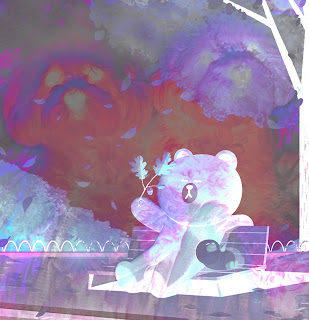
  Here I am testing out jpg and gifs. I used an original photo of my two dogs combined with a cute image from the internet. I used the divide and saturation layer filters along with a neon filter from the filter library.
Photoshop Practice

Image
  ABSTRACT 1. 2. 3. 4. LIZZO 1. 2. 3.

Poster

Image
  1. 2. 3. 4. 5. Using Adobe Illustrator and Adobe Color Wheel. After picking a color scheme, I chose a message. 

Calligram

Image
  1. 2. 3. 4. 5. 6. My calligram was made using Adobe Illustrator. All of the words were taken from a letter I wrote to my future self. When reading through it, I wanted it to show optimism and honesty.  I used both the text to line tools and text to shape tools for different aspects of my portrait. The longest portion of this project was creating each curvy hair piece. I know I could have used bigger text or shape tools but I wanted it to show the detail in my poofy hair since it is usually very straight. 

LOGO Revised

Image
  I wanted my logo to resemble my nerdy side. I love all forms of animation, art, and video games. I immediately knew that my logo had to have some pink aspect to it, since, first of all, that is my favorite color, and second, it encapsulates my fun personality. Gamer GURL uses both the positive and negative space in the G. I was also informed that it represents a snake that is the giver of life. I knew then that this was the logo for me. It was made using the tools in Adobe Illustrator.

Business Card Revised

Image
 

Business Card

Image